Cuttable does the 98%
so you can do the 2%
Cuttable builds the ad, then hands you the ad from there you can edit every layer on it. Ship it as it came out, or change any word, track, clip or frame.
most AI tools hand you an output.
Cuttable hands you a working file.
generated means take it or leave it
With most tools the ad is whatever came out. Wrong headline, wrong clip, wrong crop. So then you have to start again, rewrite a prompt, burn another generation and hope it lands.
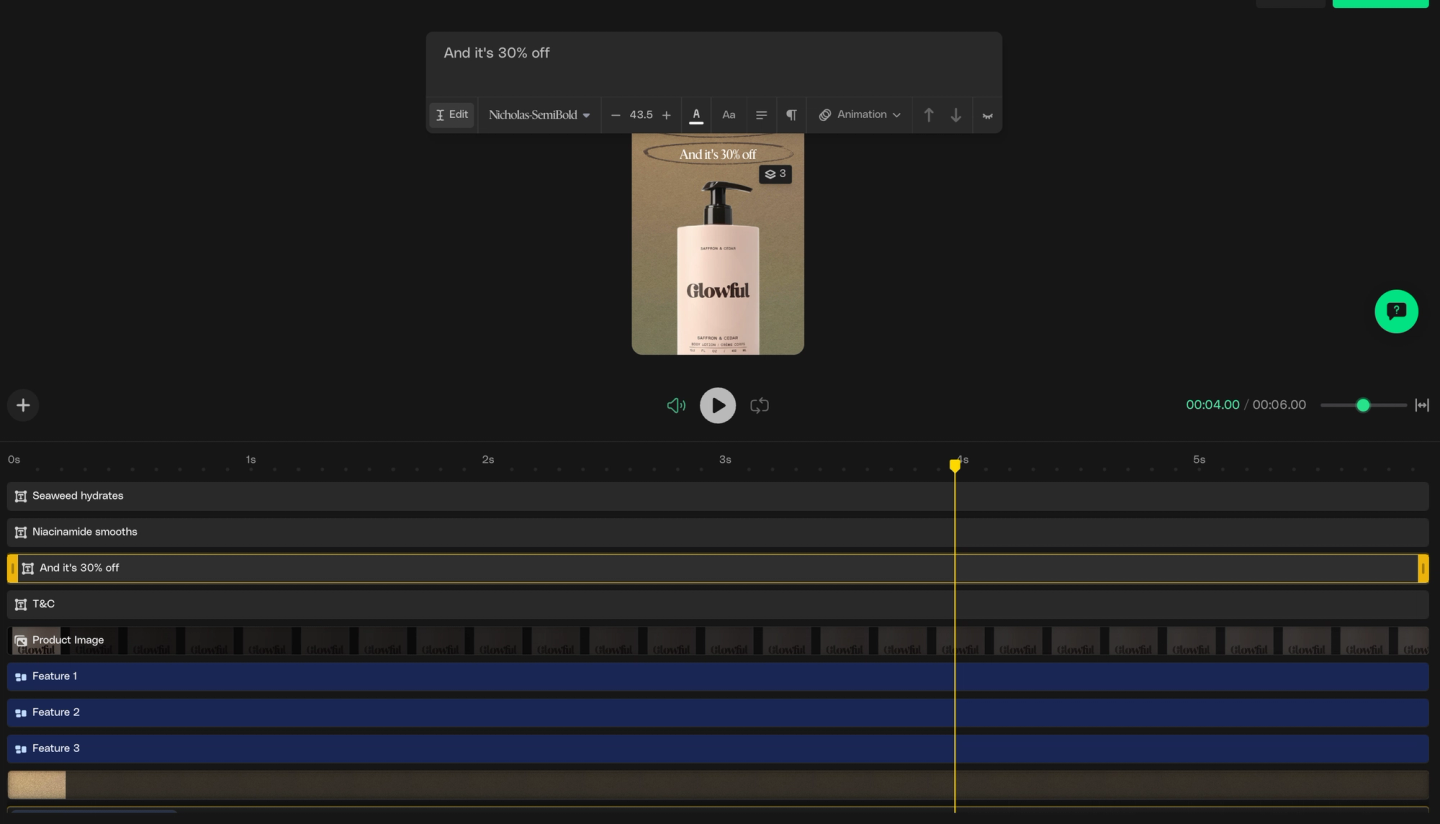
editable all the way down
Text, media, backgrounds, logos, add-ons, captions, audio and timing all sit on the timeline as layers, and all of them are yours to change.
every layer,
not just the copy.
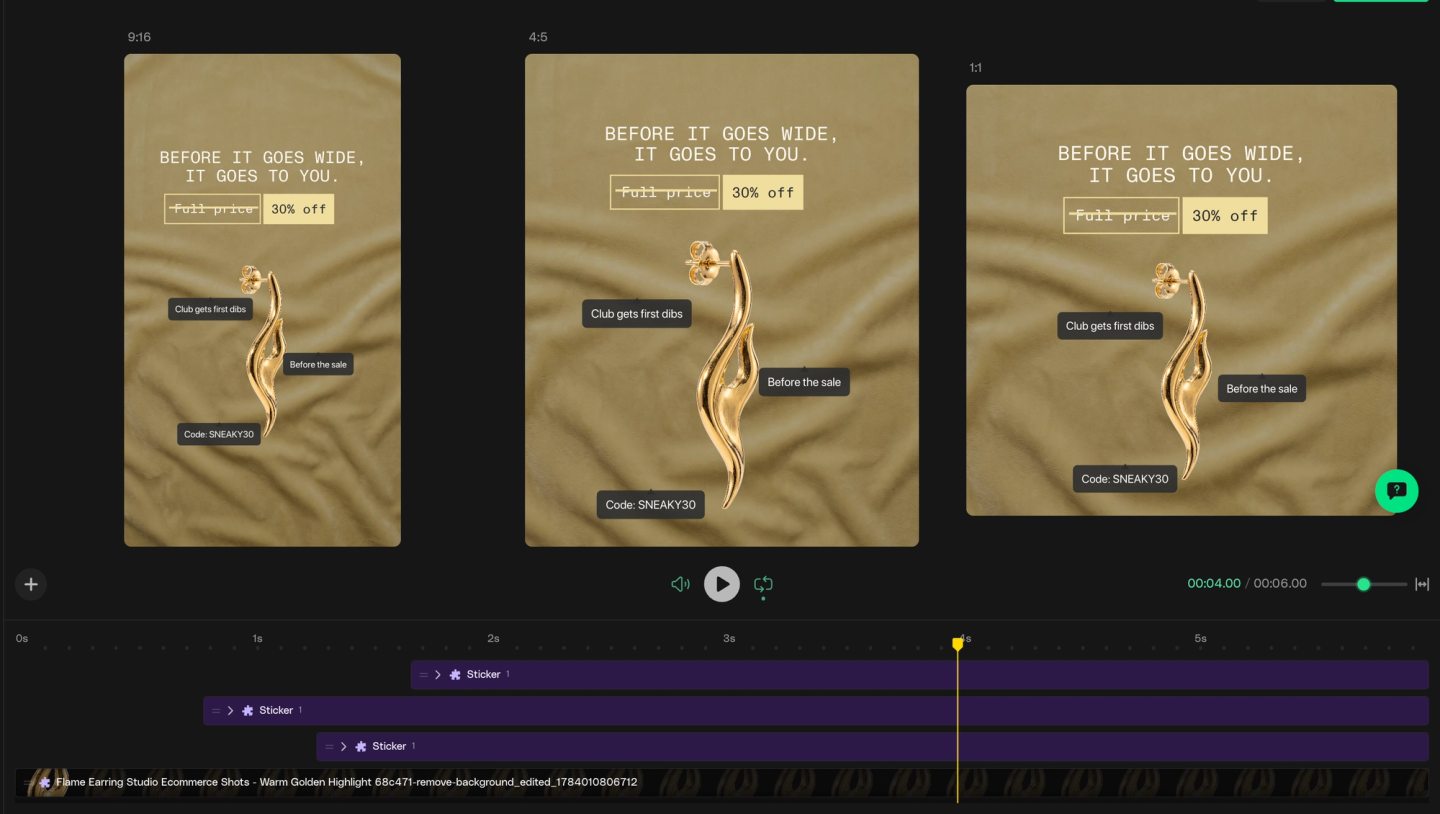
three ratios.
one review pass.
Every ad exists in 9:16, 1:1 and 4:5. Not all changes you make in the 9:16 ratio will automatically apply to 4:5 or 1:1, so we put all three in front of you at once so you can see how your designs look in every ratio.